
 Vitalii Holben
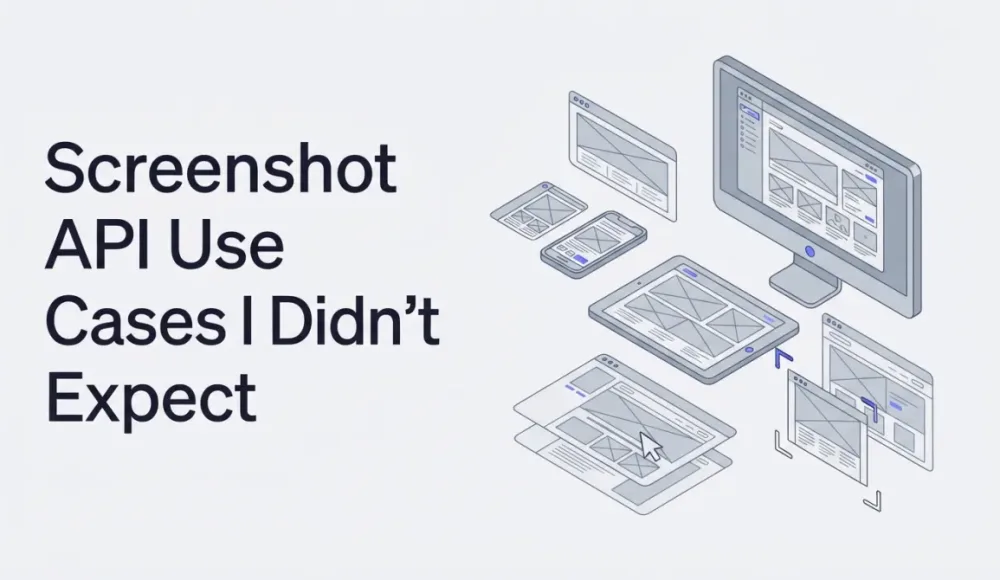
Screenshot API Use Cases I Didn't Expect
Most people think of screenshot APIs as a simple URL-to-image tool. But developers who've actually integrated one into their stack use it for OG image generation, link preview thumbnails, visual regression testing, compliance archiving, and competitor monitoring. Here are five real scenarios where a screenshot API saves hours of work.
When I started building screenshotrun, I thought the product was simple: send a URL, get back an image. That's what most people think of when they hear "screenshot API." But the longer I work on this, the more I see developers plugging it into workflows I never designed for.
Here are five patterns that keep showing up. Each one has a dedicated deep-dive if you want the implementation details.
Link previews and OG images
Any product where users share links needs preview cards. Without them, shared links look empty in Slack, Twitter, or WhatsApp. A screenshot API generates these automatically from HTML templates at 1200×630 — the custom viewport parameter sets the exact dimensions. I wrote a full link preview generation guide and a separate OG image tutorial with code examples.
Website thumbnails for directories
Site directories, marketplaces, and bookmark tools need visual previews for every listed URL. The website thumbnail guide covers the full implementation, including caching and resize options.
Visual regression testing
Before each deploy, capture key pages as full-page screenshots, compare against the previous baseline, alert on visual differences. This catches broken layouts before users report them. The visual testing guide covers the CI/CD pipeline setup.
Website change monitoring
Scheduled screenshots of competitor pages, pricing tables, or campaign landing pages. Features like wait-for-selector make sure dynamic content loads before the capture fires. Over time, this builds a visual changelog you can scroll through. The monitoring guide covers the cron setup and diff logic.
Compliance archiving
In regulated industries, companies need proof of what their website showed on a specific date. Daily captures with timestamps create that audit trail. The archiving guide explains the workflow and storage options.
What's common across all five: a screenshot API turns visual information into data you can process, store, and compare automatically. The more pages you handle, the less the manual approach scales.
If any of these patterns match what you're building, grab a free API key — the free tier covers 200 screenshots a month, enough to prototype any of the workflows above. For language-specific setup, the Node.js and Python integration guides have copy-paste examples.
Frequently Asked Questions
The five patterns developers use most often are: generating link preview cards and OG images, creating website thumbnails for directories, running visual regression tests in CI/CD, monitoring website changes over time, and archiving pages for compliance. Each workflow relies on the same core capability — turning a URL into an image automatically.
Yes. You render an HTML template at 1200×630 pixels using the API's custom viewport parameter, and the result is a ready-to-use OG image. This approach lets you generate unique preview cards for every page without maintaining a design tool or manual export process.
Before each deployment, a CI job captures full-page screenshots of key pages and compares them pixel-by-pixel against a stored baseline. Any visual difference triggers an alert, catching broken layouts, missing fonts, or shifted elements before users see them.
Absolutely. A scheduled job captures the same pages daily or hourly, building a visual changelog. Teams use this to track competitor pricing pages, campaign landing pages, or regulatory content. Comparing screenshots over time reveals changes that text-based monitoring tools miss entirely.
It depends on the use case. Link preview generation typically needs one screenshot per new URL. Visual regression testing might capture 10-50 pages per deploy. Change monitoring scales with the number of tracked URLs and capture frequency. Most developers start with a free tier of 200 screenshots per month and scale up as their workflow grows.
Fix "Could Not Find Expected Browser (Chrome) Locally" in Puppeteer
Puppeteer cannot find Chrome? Fix the "could not find expected browser locally" error in Docker, CI/CD, serverless, monorepos, and local development.
Read more →
Fix Puppeteer "Browser Has Disconnected" Error (All Causes)
Read more →
Why Instagram Breaks Your Screenshots (And How to Fix It with Playwright)
Instagram shows two login popups, triggers React re-renders when you hide them wrong, and locks scrollHeight to the viewport. Three problems, three fixes for Playwright and Puppeteer.
Read more →