
 Vitalii Holben
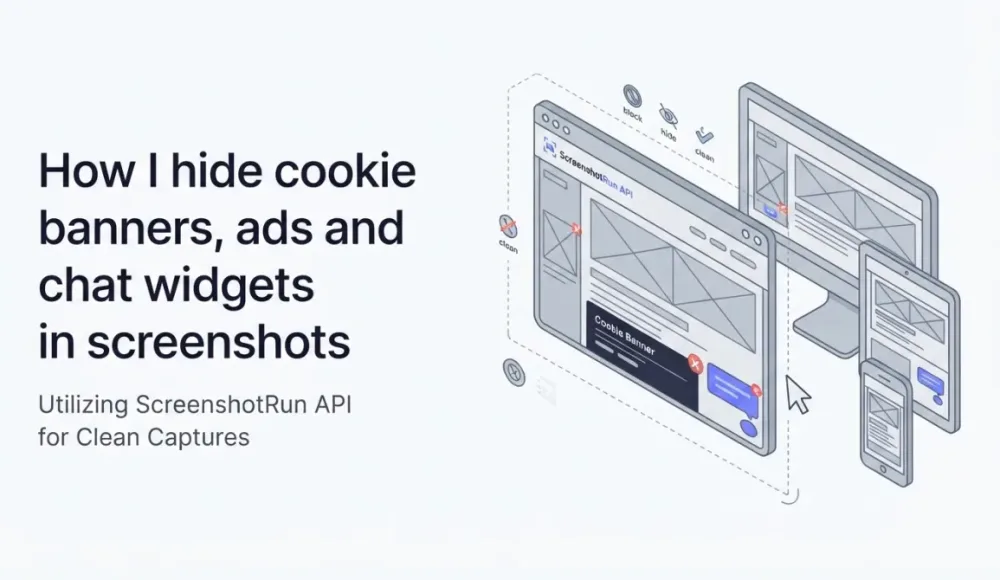
How I hide cookie banners, ads and chat widgets in screenshots
Last month a cookie banner ate 40% of my screenshot. Here's the three-layer approach I built to block cookie dialogs, chat widgets and ads before capturing the image — with the actual Playwright code from screenshotrun's renderer.
Last month I was taking a screenshot of a client's landing page for their Open Graph card, and the result was embarrassing. Roughly 40% of the image was a two-column cookie consent dialog from OneTrust. A giant Intercom bubble was eating the bottom-right corner. And somewhere between the hero section and the fold, Google Ads had helpfully inserted a banner about car insurance.
That screenshot was useless. I needed a clean shot of the actual page.
It's the most common reason I see screenshots come out looking broken. The solution I ended up with isn't a one-liner (though if you just want the result, ScreenshotRun's cookie blocking feature does all this automatically). It's three layers of blocking that work together, and below is the walkthrough with the actual Playwright code I use in production.
What you actually need to block (more than you think)
When I first started dealing with this, I assumed "just block the cookie banner and I'm done." I was wrong. Modern websites are a mess of overlays, and screenshots expose every single one of them.
What typically ruins a screenshot, in my experience:
Cookie consent dialogs from vendors like OneTrust, Cookiebot, Osano, Iubenda, Klaro, and a dozen smaller ones I'd never heard of until they broke an image
Chat widgets where Intercom is the loudest, but Crisp, Tawk.to, Drift, Zendesk, HubSpot, Tidio and Chatwoot show up too
Ad network injections that drop banners, iframes, or entire overlay blocks right into the page
Occasionally analytics and tracking scripts that render visible elements (rare, but it happens)
The hardest category of all: newsletter popups and exit-intent overlays, which change every week
Some of these arrive via third-party scripts and appear 2-3 seconds after page load. Others are baked into the server-rendered HTML from the start. A few use Shadow DOM (a browser mechanism that isolates a component's markup from the rest of the page, so regular CSS selectors can't reach inside) specifically to resist removal. Each type needs its own strategy, which is why I ended up layering.
The three-layer approach I settled on
I tried single-layer fixes first, and none of them worked reliably on their own.
Layer 1 blocks the network requests before the overlay scripts even load. Layer 2 hides the DOM elements that slip through via CSS injection. Layer 3 clicks "Accept" on what can't be blocked and then removes the elements from the tree. Each layer catches what the previous one missed.
Layer 1: intercept and abort requests at the network level
The cheapest fix is to never let the overlay scripts (those are the cookie banners, ad blocks and chat bubbles that pop up over the page) load in the first place. Playwright makes this easy through context.route (if you're new to Playwright, start with the Node.js screenshot guide), and I pair it with a list of regex patterns for the usual suspects:
const AD_PATTERNS = [
    /doubleclick\.net/,
    /googlesyndication\.com/,
    /googleadservices\.com/,
    /google-analytics\.com/,
    /googletagmanager\.com/,
    /facebook\.net.*\/signals/,
    /hotjar\.com/,
    /mixpanel\.com/,
    // ...and about ten more
];

const COOKIE_CONSENT_PATTERNS = [
    /onetrust\.com/,
    /cookielaw\.org/,
    /cookiebot\.com/,
    /osano\.com/,
    /iubenda\.com.*\/cookie-solution/,
    /klaro\.kiprotect\.com/,
    // ...
];

await context.route('**/*', (route) => {
    const requestUrl = route.request().url();

    if (AD_PATTERNS.some(p => p.test(requestUrl))) {
        return route.abort();
    }
    if (COOKIE_CONSENT_PATTERNS.some(p => p.test(requestUrl))) {
        return route.abort();
    }

    return route.continue();
});
Two things are worth noticing here. First, I use regex instead of exact domain matching, because these vendors constantly rotate subdomains and CDN paths. Second, the route has to be set up before calling page.goto(). If you attach the handler after navigation starts, the first wave of requests slips through and the banner initializes before your code ever runs.
This layer alone kills about 60% of the junk on a typical page. The scripts never arrive, so their overlays never render.
There's a catch: some sites self-host their cookie banners, or they bake them directly into the server-rendered HTML. Network blocking does nothing for those, and that's where layer 2 comes in.
Layer 2: inject CSS to hide the leftover overlays
For banners that survive the network layer, I inject a stylesheet that targets every known container by ID, class, and attribute selector. The list I ended up with covers the major vendors plus some generic fallbacks:
const COOKIE_BANNER_SELECTORS = [
    '#onetrust-banner-sdk',
    '#onetrust-consent-sdk',
    '#CybotCookiebotDialog',
    '.cc-window',
    '.cc-banner',
    '#cookie-banner',
    '#cookie-consent',
    '.cookie-notice',
    '#gdpr-consent-tool',
    '.osano-cm-window',
    '#iubenda-cs-banner',
    '[class*="cookie-banner"]',
    '[id*="cookie-consent"]',
    '[data-testid="cookie-banner"]',
    // ...
];

const cookieCSS = COOKIE_BANNER_SELECTORS.map(s =>
    `${s} { display: none !important; visibility: hidden !important; opacity: 0 !important; pointer-events: none !important; height: 0 !important; overflow: hidden !important; }`
).join('\n');

await page.addStyleTag({ content: cookieCSS });
The [class*="cookie-banner"] attribute selector near the bottom is my safety net (same technique used for targeting specific elements with CSS selectors) for sites that roll their own banner. If a developer named their class site-cookie-banner or main-cookie-consent, the attribute selector catches it. Not perfect, but it handles most of what I see in the wild.
I also set every visibility-related property I can think of (display, visibility, opacity, pointer-events, height, overflow). Some banners use JavaScript to override a single property at runtime, so I belt-and-suspender the whole thing and let CSS specificity sort it out.
Layer 3: click accept, then delete from the DOM
CSS hiding has a subtle problem. The banner is still in the DOM, and some sites refuse to scroll properly while it's there. That's a deal-breaker for full-page screenshots because they lock body { overflow: hidden }. For those cases I fall back to clicking the accept button and then removing the element entirely:
const COOKIE_ACCEPT_SELECTORS = [
    '#onetrust-accept-btn-handler',
    '#CybotCookiebotDialogBodyLevelButtonLevelOptinAllowAll',
    '.cc-btn.cc-allow',
    '.osano-cm-accept-all',
    '#iubenda-cs-accept-btn',
    'button[class*="cookie-accept"]',
    'button[id*="accept-cookie"]',
    // ...
];

for (const acceptSelector of COOKIE_ACCEPT_SELECTORS) {
    try {
        const btn = await page.$(acceptSelector);
        if (btn && await btn.isVisible()) {
            await btn.click();
            await page.waitForTimeout(300);
            break;
        }
    } catch (e) {
        // Ignore click errors. CSS is still the fallback.
    }
}

// Then nuke any remaining banner elements
await page.evaluate((selectors) => {
    for (const s of selectors) {
        document.querySelectorAll(s).forEach(el => el.remove());
    }
}, COOKIE_BANNER_SELECTORS);
I try the accept buttons in order of most common vendor. As soon as one clicks successfully I break out of the loop. The 300ms wait gives the banner's dismiss animation time to finish. I learned the hard way that clicking and immediately screenshotting captures the banner mid-fade.
And if nothing works? The querySelectorAll().remove() at the end just deletes every matching element. It's aggressive, but the screenshot was going to be broken either way.
Chat widgets use the same pattern with a different list
Chat widgets are structurally identical to cookie banners: third-party script, positioned container, often an injected iframe. I use the same three-layer approach, just with different patterns:
const CHAT_WIDGET_PATTERNS = [
    /widget\.intercom\.io/,
    /client\.crisp\.chat/,
    /embed\.tawk\.to/,
    /widget\.drift\.com/,
    /static\.zdassets\.com/,
    /js\.hs-scripts\.com/,
    /code\.tidio\.co/,
];

const CHAT_WIDGET_SELECTORS = [
    '#intercom-container',
    '.crisp-client',
    '#tawk-bubble-container',
    '#drift-widget-container',
    '.zEWidget-launcher',
    '#hubspot-messages-iframe-container',
    '#tidio-chat',
    'iframe[src*="tidio"]',
];
One thing tripped me up here for longer than it should have: Intercom and several others render their bubble inside an iframe. You can't hide elements inside a cross-origin iframe with CSS injection, no matter what you do. The only thing that works is hiding the iframe's container, which is why the selector list targets #intercom-container rather than trying to reach the bubble itself. Same-origin iframes behave differently, of course. If you're working with authenticated dashboards where you already control the frame, the cookies and headers approach for password-protected pages is what you want instead.
The MutationObserver trick for lazy-loaded widgets
Some widgets get injected 3-5 seconds after page load, long after my initial CSS tag is already in place. The DOM didn't have them when I hid things, so they appear anyway, right as I'm about to take the screenshot.
The fix is a MutationObserver that re-runs the removal logic whenever new nodes get added:
await page.evaluate((selectors) => {
    const observer = new MutationObserver(() => {
        for (const s of selectors) {
            document.querySelectorAll(s).forEach(el => el.remove());
        }
    });
    observer.observe(document.body, { childList: true, subtree: true });
}, hide_selectors);
This runs inside the page and keeps removing matched elements for the rest of the page's life. I pair it with a short waitForTimeout(1000) after setup, so lazy-loaded widgets have a chance to appear and get caught before I capture the image. Timing the capture correctly is a whole separate problem (fonts, lazy images, animations, network idle), and I covered my approach to it in fixing blank images in full-page screenshots.
What still doesn't work (and probably won't any time soon)
Being upfront about where this falls apart matters, because I don't have a clean fix for most of it yet.
Shadow DOM is the worst offender. If a site uses a closed shadow root (mode: 'closed', where JavaScript from outside can't see the component's content at all, not through selectors, not through element.shadowRoot) to render its banner, my selectors simply can't reach inside. OneTrust did this for a while on some configurations, and my only workaround was to block the script at the network layer, which only works if I know the vendor's domain ahead of time. Related: some sites actively fight back at a different level by detecting headless browsers and serving challenge pages instead of the real content. I wrote up the ten stealth patches I ship for headless Chromium in a separate post, and that's an orthogonal problem to overlay blocking but often comes up on the same sites.
Custom-built banners with randomized class names (looking at you, Next.js sites that ship a fresh build hash every day) are hit-or-miss. The [class*="cookie"] attribute selector catches many of them, but not all.
A/B-tested banners are a nightmare. You can't maintain selectors for something that changes every week.
And finally, some banners load from the same origin as the main site, so network blocking is useless. I can't abort a request to /static/js/consent.js without risking breaking half the app.
If you've solved any of these cleanly, I'd like to hear about it.
Using a screenshot API to skip the overlay problem entirely
If you're tired of maintaining blocker lists, there's a shortcut: hand the problem to an API that already deals with it. ScreenshotRun, for example, has a built-in block_cookie_banners parameter. You set it to true, and the API handles the network blocking, CSS injection, and DOM cleanup behind the scenes. No selector lists to maintain, no Playwright setup, no debugging why a new Cookiebot version broke your regex.
In practice it looks like this:
curl "https://api.screenshotrun.com/v1/screenshots/capture?\
url=https://example.com\
&block_cookie_banners=true\
&format=png\
&response_type=image" \
  -H "Authorization: Bearer YOUR_API_KEY" \
  --output clean-screenshot.png
And the same request in Node.js:
const params = new URLSearchParams({
  url: 'https://example.com',
  block_cookie_banners: 'true',
  format: 'png',
  response_type: 'image',
});

const response = await fetch(
  `https://api.screenshotrun.com/v1/screenshots/capture?${params}`,
  { headers: { 'Authorization': 'Bearer YOUR_API_KEY' } }
);

const buffer = Buffer.from(await response.arrayBuffer());
fs.writeFileSync('clean-screenshot.png', buffer);
The API team keeps the selector lists updated. When OneTrust ships a new banner layout or Intercom changes their container IDs, the fix happens on the API side and your integration stays untouched. For teams that screenshot hundreds of URLs daily (think visual regression testing in CI/CD pipelines), not having to chase down banner changes every other week is worth the API cost alone.
That said, if you need fine-grained control (custom timing, specific elements to block, or authentication flows), running your own Playwright setup with the layers I described above gives you that flexibility. The SPA screenshot guide shows how to combine element waiting with overlay removal for single-page apps where timing is especially tricky.
Six months of building this taught me one thing clearly: overlay blocking is a maintenance job, not a one-time fix. The selector lists above are the most useful thing I can share. Steal them, extend them. If you find vendors I missed, the same layers work in Python with Playwright too. For Shadow DOM and A/B-tested banners, I still don't have a universal answer. That ongoing cost is what keeps pulling me back to the build-vs-buy question. Full parameter list is in the API reference.
Frequently Asked Questions
Use a three-layer approach: first, block the banner scripts at the network level before they load (using Playwright's context.route to abort requests to domains like onetrust.com or cookiebot.com). Second, inject CSS that hides known banner selectors with display: none !important. Third, click the "Accept" button and remove the element from the DOM entirely. Each layer catches what the previous one misses.
Some websites self-host their cookie consent code or bake it directly into the server-rendered HTML. Network-level blocking only works for third-party scripts loaded from external domains. For self-hosted banners, you need CSS injection (layer 2) or DOM removal (layer 3) to hide them. The CSS attribute selector [class*="cookie-banner"] is a good fallback for custom implementations.
Yes. Chat widgets follow the same pattern as cookie banners: block the vendor's script domain at the network level, then hide the widget container with CSS. The key difference is that most chat widgets (Intercom, Crisp, Drift) render inside cross-origin iframes, so you must target the outer container element (e.g. #intercom-container) rather than trying to reach inside the iframe.
Use a MutationObserver inside the page context. It watches for new DOM nodes being added and automatically removes any that match your selector list. Set it up right after navigation, then add a short delay (1-2 seconds) before capturing the screenshot so late-loading widgets have time to appear and get caught by the observer.
A screenshot API like ScreenshotRun handles this automatically — it maintains updated selector lists and blocking rules so you don't have to. If you prefer to run your own headless browser, you'll need to maintain the lists yourself. The attribute selectors [class*="cookie"] and [id*="consent"] provide broad coverage as a starting point, but vendor-specific selectors are more reliable.
Fix "Could Not Find Expected Browser (Chrome) Locally" in Puppeteer
Puppeteer cannot find Chrome? Fix the "could not find expected browser locally" error in Docker, CI/CD, serverless, monorepos, and local development.
Read more →
Fix Puppeteer "Browser Has Disconnected" Error (All Causes)
Read more →
Why Instagram Breaks Your Screenshots (And How to Fix It with Playwright)
Instagram shows two login popups, triggers React re-renders when you hide them wrong, and locks scrollHeight to the viewport. Three problems, three fixes for Playwright and Puppeteer.
Read more →