
Visual Regression Testing with a Screenshot API
 Vitalii Holben
You deploy on Friday afternoon. The tests pass, CI is green, staging looks fine on your laptop. Monday morning, a support ticket: the pricing page hero section is overlapping the navigation bar on mobile. It shipped three days ago. Nobody caught it because the unit tests don't check pixels, the integration tests don't open a browser, and the one person who might have noticed was already offline when the deploy went out.
Visual regression testing catches exactly this kind of breakage. A before-and-after screenshot comparison, run automatically in your CI/CD pipeline, that flags pixel differences before the code reaches production. The concept is simple. The tooling around it gets expensive fast, which is why most teams either skip it or bolt on a dedicated platform like Percy or Chromatic and accept the bill. But there's a middle ground: a screenshot API, a pixel-diff library, and a few lines of CI config. No SDK to install, no browser binary to manage, no vendor lock-in on your test baselines.
The three-step workflow behind every visual test
Every visual regression testing setup follows the same pattern, regardless of tooling:
- Capture the baseline. Screenshot the pages you care about in their known-good state. Store the images somewhere your CI can reach them (a Git repo, S3 bucket, or artifact storage).
- Deploy the change. A pull request, a staging deploy, a feature branch build, whatever triggers your pipeline.
- Capture and compare. Screenshot the same pages under the new code. Run a pixel diff against the baselines. If the diff exceeds a threshold, fail the build or flag the PR.
The difference between a $500/month visual testing platform and a DIY setup is mostly in the review UI and the baseline management. The actual diffing is a few lines of code.
Capturing screenshots with the ScreenshotRun API
A screenshot API replaces the part where you'd normally spin up a headless browser, navigate to each URL, wait for the page to load, and capture the image. Instead, you make an HTTP request. Here's a baseline capture of a pricing page at 1280x800:
curl "https://api.screenshotrun.com/v1/screenshots/capture?url=https%3A%2F%2Fyourapp.com%2Fpricing&width=1280&height=800&full_page=true&format=png&block_cookies=true&wait_for_selector=.pricing-table&delay=2" \
  -H "Authorization: Bearer sr_live_your_key_here"
A few things are happening in that request. full_page: true tells the API to capture full-page screenshots by scrolling the entire document, not just the visible viewport. block_cookies: true strips cookie consent banners before the capture. I'll explain why that matters for visual testing in a moment. And wait_for_selector: ".pricing-table" pauses the render until that element exists in the DOM, which prevents the blank-page problem that plagues SPA captures.
The API returns a screenshot ID. Poll the status endpoint until it's completed, then download the image. For CI automation, that polling step takes about 3-5 seconds per page on average.
Pixel-diff comparison with pixelmatch in Node.js
Once you have two images (a baseline and a fresh capture), you need to compare them. pixelmatch (version 5.3.0, by Mapbox) is the go-to library for this. It's fast, it's a single dependency, and it outputs both a diff score and a visual diff image that highlights the changed pixels in red.
Here's a comparison script that takes two PNG files and outputs the mismatch percentage:
const fs = require('fs');
const { PNG } = require('pngjs');
const pixelmatch = require('pixelmatch');

function compareScreenshots(baselinePath, currentPath, diffOutputPath) {
  const baseline = PNG.sync.read(fs.readFileSync(baselinePath));
  const current = PNG.sync.read(fs.readFileSync(currentPath));

  // Images must be the same dimensions for pixel comparison
  if (baseline.width !== current.width || baseline.height !== current.height) {
    console.error(`Size mismatch: ${baseline.width}x${baseline.height} vs ${current.width}x${current.height}`);
    process.exit(1);
  }

  const { width, height } = baseline;
  const diff = new PNG({ width, height });

  const mismatchedPixels = pixelmatch(
    baseline.data, current.data, diff.data,
    width, height,
    { threshold: 0.1 } // color distance threshold, 0.1 is a good default
  );

  fs.writeFileSync(diffOutputPath, PNG.sync.write(diff));

  const totalPixels = width * height;
  const mismatchPercent = ((mismatchedPixels / totalPixels) * 100).toFixed(2);

  console.log(`Mismatched pixels: ${mismatchedPixels} (${mismatchPercent}%)`);
  return mismatchPercent;
}

const percent = compareScreenshots(
  'screenshots/baseline-pricing.png',
  'screenshots/current-pricing.png',
  'screenshots/diff-pricing.png'
);

// Fail if more than 0.5% of pixels changed
if (parseFloat(percent) > 0.5) {
  console.error('Visual regression detected!');
  process.exit(1);
}
The threshold: 0.1 option controls how sensitive the color comparison is. Lower values catch subtler shifts (font rendering differences, anti-aliasing) but also produce more false positives. I've found 0.1 to be the right balance for most web UIs. The 0.5% mismatch threshold at the bottom is the fail condition; adjust it based on how noisy your pages are.
A complete GitHub Actions workflow for visual regression testing
The CI config that ties capture and comparison together is the part nobody seems to publish in full. This GitHub Actions workflow runs on every pull request. It captures screenshots of your key pages, compares them against baselines stored in the repo, and fails the PR if the diff exceeds the threshold.
name: Visual Regression Test

on:
  pull_request:
    branches: [main]

jobs:
  visual-test:
    runs-on: ubuntu-latest
    steps:
      - uses: actions/checkout@v4

      - uses: actions/setup-node@v4
        with:
          node-version: 20

      - name: Install dependencies
        run: npm ci

      - name: Capture current screenshots
        env:
          SCREENSHOTRUN_API_KEY: ${{ secrets.SCREENSHOTRUN_API_KEY }}
        run: node scripts/capture-screenshots.js

      - name: Compare against baselines
        run: node scripts/compare-screenshots.js

      - name: Upload diff artifacts
        if: failure()
        uses: actions/upload-artifact@v4
        with:
          name: visual-diffs
          path: screenshots/diff-*.png
          retention-days: 7
The capture-screenshots.js script loops through a list of URLs and saves each capture to screenshots/current-*.png. The compare-screenshots.js script runs the pixelmatch comparison from the previous section against each baseline file. If any page exceeds the threshold, the job exits with code 1 and the PR gets a red check. The diff images upload as artifacts so you can download them and see exactly what changed.
For the capture script, it's the same curl logic wrapped in a Node.js fetch loop with polling. Nothing exotic. The key is that every URL uses identical parameters: same viewport, same format, same delay. That keeps the comparison apples to apples.
Getting clean baselines: the four parameters that matter for visual testing
Consistent screenshots are harder than the diffing itself. A 1-pixel shift in font rendering, a cookie banner that appears on one run but not the next, a lazy-loaded hero image that sometimes finishes loading and sometimes doesn't. All of these produce false positives that erode trust in the pipeline. After a few weeks of noise, developers start ignoring the visual tests entirely.
Four API parameters solve the majority of consistency problems.
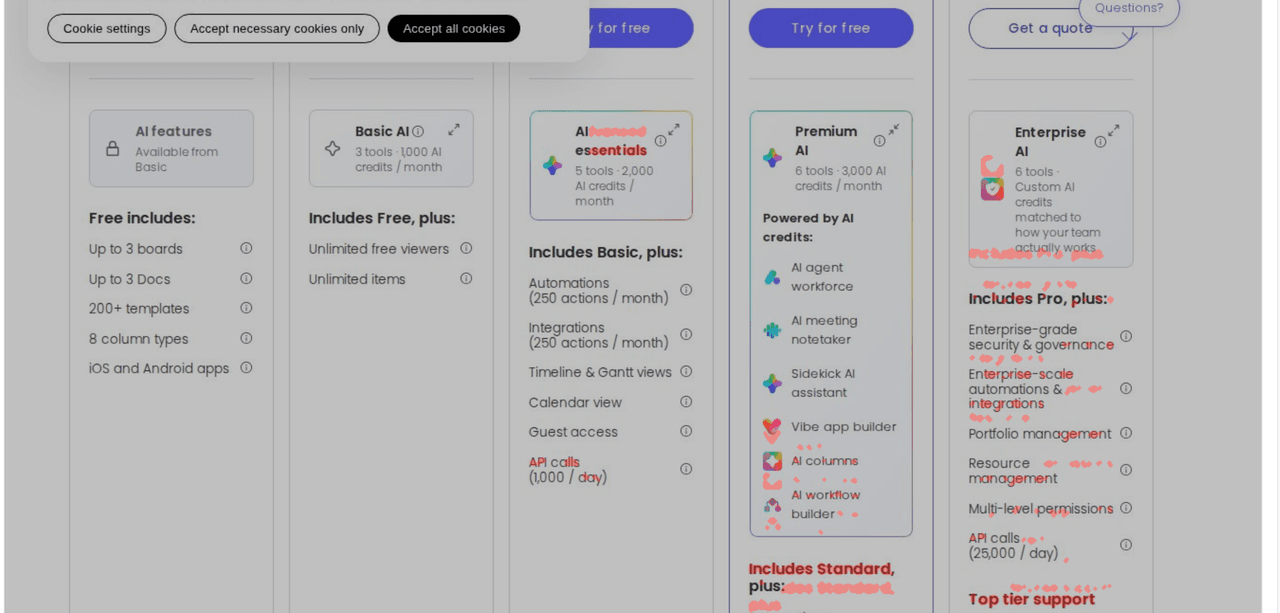
Start with block_cookies, the one most people miss. GDPR consent dialogs appear based on IP geolocation, browser state, and whether the consent cookie already exists. Your CI server in a GitHub-hosted runner almost certainly sees a different cookie state than your local machine. That means the baseline might include a cookie banner and the CI capture might not, or vice versa. The diff lights up with a false positive covering 40% of the page. ScreenshotRun blocks cookie banners automatically: consent scripts get intercepted, banner elements get hidden, and "Accept" buttons get clicked before the capture fires. Same clean page, every run.
Next is wait_for_selector, which handles SPAs and dynamic content. A React dashboard, a Vue storefront, a Next.js marketing page — the HTML arrives as a shell, and the real content renders after JavaScript executes and API calls resolve. Without waiting for a specific element, you're screenshotting a loading spinner. Wait for a specific element to load before capturing and you get the rendered page, not the skeleton. For a pricing page, wait_for_selector: ".pricing-table" works. For a dashboard, something like ".dashboard-content". The API waits up to 10 seconds for the selector to appear. If you're dealing with a third-party SPA where you don't know the DOM structure, the guide on how to screenshot single-page applications reliably covers the fallback strategies.
Explicit width and height values lock the viewport dimensions. If your baseline was captured at 1280x800 and the CI capture runs at 1920x1080 because of a default change somewhere, the images are different sizes and pixelmatch will reject them outright. Always set explicit viewport dimensions. And if you want to test across different viewport sizes and devices, run separate capture sets for each breakpoint: 1280x800 for desktop, 768x1024 for tablet, 375x812 for mobile.
Finally, delay adds a fixed wait (in seconds) after the page's load event fires. Some pages trigger animations, font swaps, or third-party widget loads after the DOM is ready. A 2-second delay catches most of these. I wouldn't go higher than 3 seconds in CI because it multiplies across every page and every PR, and the diminishing returns aren't worth the slower feedback loop.
Screenshot API vs. dedicated visual testing platforms
There are things this approach doesn't give you. Percy (by BrowserStack) and Chromatic (by the Storybook team) are dedicated visual testing platforms. They have review UIs where designers can approve or reject changes, baseline management across branches, smart grouping of related changes, and browser matrix testing. If your team has 5 frontend developers and a designer reviewing every PR, those features matter.
But they come with tradeoffs worth knowing about.
| Percy / Chromatic | Screenshot API + pixelmatch | |
|---|---|---|
| Monthly cost (5,000 screenshots) | $399+ (Percy), $149+ (Chromatic) | $9/month (Starter plan, 3,000 included) |
| Setup time | SDK integration, config, CI plugin | curl + Node script + CI YAML |
| Browser binaries in CI | Required (Cypress/Playwright SDK) | None, API handles rendering |
| Baseline storage | Vendor-managed (cloud) | Git repo or S3 (you control it) |
| Review UI | Built-in, polished | PR artifacts, manual review |
| Vendor lock-in | High, baselines tied to platform | None, PNG files, standard tooling |
| Pricing transparency | Opaque, contact sales above free tier | Public pricing, no surprises |
The sweet spot for an API-based approach is small teams that want visual testing without a dedicated platform budget. Indie developers, startups, side projects, and open-source maintainers. You own the baselines, you control the threshold, and you can switch between screenshot providers without migrating anything. The diff library is open source and the images are just PNGs.
For larger teams that need designer-in-the-loop approvals and cross-browser matrix testing, Percy or Chromatic earn their price. I covered when it makes sense to use an API instead of self-hosting in a separate post, and the same logic applies here.
Testing HTML components without a live URL
Not every visual test needs a deployed page. If you're building a component library or a design system, you might want to test individual components in isolation. ScreenshotRun's html parameter lets you render HTML components directly to images without deploying anything:
{
  "html": "<div style='padding: 24px; font-family: Inter, sans-serif;'><button class='btn-primary'>Subscribe</button></div>",
  "width": 400,
  "height": 200,
  "format": "png"
}
This captures the rendered button as an image. Compare it against a baseline to catch style regressions in individual components without spinning up a dev server. It's particularly useful for generating link previews and for testing email templates that don't have a URL at all.
Where this approach falls short
I want to be upfront about the limits. Font rendering differs between operating systems, so a screenshot captured on the API's Linux-based Chromium will look slightly different from what you see on macOS Chrome. For most layouts the pixel difference is below the 0.5% threshold, but if your design relies on precise kerning or unusual typefaces, you'll need to tune the threshold or normalize fonts via the css injection parameter.
Dynamic content is the other pain point. A news feed, a stock ticker, a "time since" counter. Anything that changes between captures produces a legitimate diff every time. You can handle this by injecting CSS to hide volatile regions (hide_selectors) or by testing only the pages with stable content. There's no universal fix for a page that's designed to look different on every load.
And sub-pixel anti-aliasing differences between captures can produce low-level noise. The threshold: 0.1 setting in pixelmatch absorbs most of it, but if you're getting diffs under 0.1% that aren't real changes, bump it to 0.15. I've seen blank or white screenshots trip up new setups too, almost always a wait timing issue rather than a real regression.
Start catching visual bugs before they ship
Get your API key — 200 free screenshots/monthVisual regression testing fills the gap between "the tests pass" and "the page actually looks right." Building the pipeline from a screenshot API and an open-source diff library keeps you in control of the baselines, the thresholds, and the budget. If you want to go deeper on the CI/CD integration patterns, the GitHub Actions integration page has ready-to-use workflow files. I also wrote a detailed look at visual regression testing workflows that covers branching strategies and baseline updates. For picking the right tool for the job, the Playwright vs Screenshot API comparison lays out the tradeoffs between self-hosted and managed approaches. And if you're curious how visual testing relates to other uses for the same API, the patterns overlap more than you'd expect — SEO audits use the same capture-and-compare workflow to track layout changes across deployments. Good luck shipping without the Monday morning surprises. For teams that also need to preserve page history for compliance or legal records, the website archiving guide covers the workflow.
Frequently asked questions
block_cookies: true to strip GDPR consent dialogs before capture — these appear inconsistently between environments and cause large diffs that aren't real regressions. For dynamic elements like news feeds or timestamps, use the hide_selectors parameter to exclude volatile regions. Fixed viewport dimensions (width, height) and a consistent delay value eliminate another common source of noise.
width and height in every capture request — dimension mismatches between baseline and current screenshots will cause the diff to fail outright. Common breakpoints: 1280×800 (desktop), 768×1024 (tablet), 375×812 (mobile). Run a separate capture set for each breakpoint so you catch responsive layout regressions. Use full_page: true to capture the entire scrollable page, not just the visible viewport.