
 Vitalii Holben
How to Take Website Screenshots with Ruby — Selenium and Ferrum Guide
Ruby doesn't ship with a browser rendering engine, so taking website screenshots requires an external tool. This article covers three approaches — Selenium WebDriver with headless Chrome, Ferrum via DevTools Protocol, and the Screenshotrun API — with working code and a production comparison.
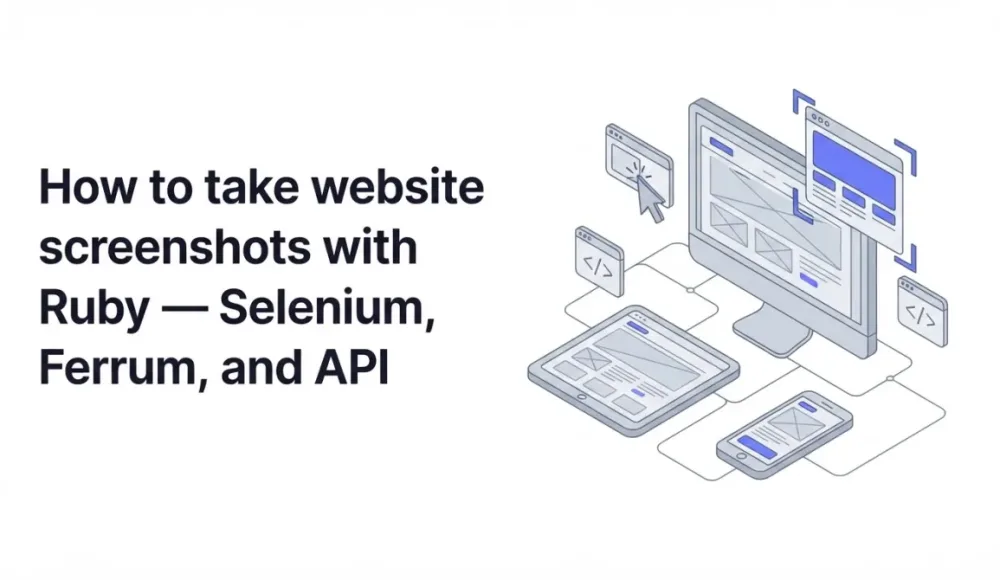
Ruby doesn't ship with a built-in browser rendering engine, so taking a website screenshot in a single line of code isn't going to happen. In practice you have three working options: spin up headless Chrome through Selenium WebDriver, use the lighter Ferrum gem (it talks to Chrome directly via the DevTools Protocol), or skip browser infrastructure entirely and call a screenshot API over HTTP. I've put together working code for all three so you can pick the one that fits your project.
Option 1: Selenium WebDriver with headless Chrome
Selenium is the most widely known browser automation tool in the Ruby ecosystem. It controls a real Chrome instance through ChromeDriver, and the rendering comes out accurate. The downside is that you need to install ChromeDriver and keep its version in sync with the Chrome you have installed.
How to install Selenium dependencies
gem install selenium-webdriver webdriversThe webdrivers gem downloads the right ChromeDriver version and matches it to your installed Chrome automatically. But Chrome itself still has to be on the machine.
Basic screenshot with Selenium WebDriver
require 'selenium-webdriver'
require 'webdrivers'

options = Selenium::WebDriver::Chrome::Options.new
options.add_argument('--headless')
options.add_argument('--disable-gpu')
options.add_argument('--window-size=1280,800')
options.add_argument('--no-sandbox')
options.add_argument('--disable-dev-shm-usage')

driver = Selenium::WebDriver.for :chrome, options: options
driver.navigate.to 'https://example.com'

sleep 2  # give JavaScript time to finish rendering

driver.save_screenshot('screenshot.png')
driver.quit

puts 'Saved: screenshot.png'
That --disable-dev-shm-usage flag matters in containers like Docker, where shared memory is limited and Chrome can crash without it. And sleep 2 is a rough wait. For pages with heavy JavaScript you may need more time, or a smarter waiting strategy altogether.
Full-page screenshot in Selenium (with a workaround)
By default Selenium captures only the visible viewport. There's no built-in option for a full-page screenshot, so the standard workaround is to resize the browser window to the full document height before taking the shot:
require 'selenium-webdriver'
require 'webdrivers'

options = Selenium::WebDriver::Chrome::Options.new
options.add_argument('--headless')
options.add_argument('--disable-gpu')
options.add_argument('--no-sandbox')

driver = Selenium::WebDriver.for :chrome, options: options
driver.navigate.to 'https://example.com'
sleep 2

total_height = driver.execute_script('return document.body.scrollHeight')
driver.manage.window.resize_to(1280, total_height)

sleep 1  # wait for reflow
driver.save_screenshot('fullpage.png')
driver.quit
This works fine on most pages, but it can break on sites with sticky headers, fixed-position elements, or content that loads dynamically as you scroll.
Option 2: Ferrum, headless Chrome without the extra dependencies
Ferrum is a pure Ruby gem that talks to Chrome directly through the Chrome DevTools Protocol. No Selenium, no ChromeDriver binary, no Java dependency. It's simpler to set up, and when you need it, it gives you more precise control over the browser.
Installing Ferrum
gem install ferrumChrome needs to be installed on the machine. Ferrum finds it automatically on macOS, Linux, and Windows without any extra configuration.
Basic screenshot with Ferrum
require 'ferrum'

browser = Ferrum::Browser.new(
  headless: true,
  window_size: [1280, 800]
)

browser.go_to('https://example.com')
browser.network.wait_for_idle

browser.screenshot(path: 'screenshot.png')
browser.quit

puts 'Saved: screenshot.png'
The network.wait_for_idle method waits until the network goes quiet, which is much more reliable than an arbitrary sleep. Our API offers similar precision through the wait for selector parameter, especially on JavaScript-heavy pages. It tracks pending requests through the DevTools Network domain and holds until they all settle.
Full-page screenshot in Ferrum (one line does it)
require 'ferrum'

browser = Ferrum::Browser.new(headless: true, window_size: [1280, 800])
browser.go_to('https://example.com')
browser.network.wait_for_idle

browser.screenshot(path: 'fullpage.png', full: true)
browser.quit
The full: true flag is built into Ferrum. It captures the entire scrollable page automatically, without the window-resizing tricks Selenium needs. This is one of the clear advantages Ferrum has for screenshot-oriented work.
Getting a screenshot as a Base64 string
If you need the image in memory rather than saved to disk (say, to upload it straight to cloud storage), Ferrum can return the result as a Base64 string:
require 'ferrum'
require 'base64'

browser = Ferrum::Browser.new(headless: true, window_size: [1280, 800])
browser.go_to('https://example.com')
browser.network.wait_for_idle

base64_image = browser.screenshot(encoding: :base64)
image_data   = Base64.decode64(base64_image)

# upload_to_storage(image_data)

browser.quit
If you'd rather skip Chrome entirely, there's a third option: a dedicated Ruby screenshot API that handles rendering on external servers. The integration page walks through net/http, Faraday, and Rails controller examples.
Comparing Selenium and Ferrum for Ruby screenshots
| Feature | Selenium | Ferrum |
|---|---|---|
| Setup complexity | Medium (Chrome + ChromeDriver) | Low (Chrome only) |
| Ruby dependencies | selenium-webdriver, webdrivers | ferrum |
| Full-page screenshots | Manual workaround | Built-in (full: true) |
| Server memory usage | High (Chrome process) | High (Chrome process) |
| Works in serverless / PaaS | Needs custom buildpack | Needs custom buildpack |
| PDF export | Complex CDP setup | Built-in (format: :pdf) |
| Dark mode / Retina | Manual Chrome flags | Partial support |
| JS-heavy SPA rendering | Good (with manual waits) | Good (network idle wait) |
| Ad / cookie banner blocking | Requires extension setup | Manual JS injection |
| Free tier | Unlimited (self-hosted) | Unlimited (self-hosted) |
Running Chrome in Docker and on Heroku: what to expect
If you're deploying Selenium or Ferrum in a containerized environment, getting Chrome to run takes extra steps. In Docker you need to install Chrome and all its system dependencies right in your image:
FROM ruby:3.3

RUN apt-get update && apt-get install -y \
  chromium \
  chromium-driver \
  fonts-liberation \
  libasound2 \
  libatk-bridge2.0-0 \
  libgtk-3-0 \
  libnss3 \
  libxss1 \
  && rm -rf /var/lib/apt/lists/*
On Heroku you'll need separate buildpacks for Chrome and ChromeDriver. And on serverless platforms things get even messier because of binary size limits and read-only filesystems. With the API none of that matters. Your Ruby code makes HTTP requests, and Chrome lives on someone else's server.
Concurrency: why parallel screenshots get expensive fast
Every Selenium or Ferrum instance is a separate Chrome process. Two parallel screenshots mean two processes at 300–500 MB of RAM each. Ten of them and you're already burning several gigabytes. If your app needs screenshots for many users at once, managing a browser pool turns into its own engineering problem. With the API, concurrent requests are just concurrent HTTP calls, and your server's memory stays untouched.
Error handling: the difference between self-hosted and API
Pages that never finish loading, JavaScript errors, DNS failures. All of these need explicit handling when you run your own browser. With the API you get a clear status: "failed" response with an error code and message, without learning exception hierarchies or maintaining piles of rescue blocks.
For a third approach that removes Chrome from your stack entirely, see our Ruby screenshot API integration guide with ready-to-use net/http, Faraday, and Rails controller examples.
If you want to skip the Chrome setup entirely, create a free ScreenshotRun account and start capturing screenshots with a single HTTP call. Check our pricing for details on what's included.
Which approach to choose for your project
Selenium makes sense if you're already using it for integration tests and want to reuse that same infrastructure for occasional screenshots. The ecosystem is mature, most Ruby developers are familiar with it, and for one-off tasks it usually does the job.
If you're building something from scratch and screenshots are the main focus, I'd go with Ferrum. It's lighter, doesn't drag in Java dependencies, and native full-page capture plus network idle waiting work out of the box. For screenshot-oriented projects it's more convenient.
And when you don't want to think about Chrome on your server at all, especially in cloud or serverless environments, a screenshot API handles it in a single HTTP call. Dark mode, ad blocking, element screenshots, PDF export are all built in. The same approach works in other languages too: I've written parallel guides for Node.js, PHP, Python, and Go. The flow is the same everywhere, only the HTTP client changes.
Frequently Asked Questions
Ferrum is better for screenshot-focused work. It connects to Chrome directly through the DevTools Protocol, has built-in full-page capture with the full: true option, and provides network idle waiting out of the box. Selenium is a solid choice if you already use it for browser testing and want to reuse that setup.
With Ferrum, pass full: true to the screenshot method. With Selenium, you need a workaround: measure the full document height using JavaScript, resize the browser window to match, and then take the screenshot. A screenshot API handles full-page captures natively through a single parameter.
Yes, but you need to install Chrome and its system dependencies in the Docker image. Add the chromium package plus libraries like libnss3, libatk-bridge2.0-0, and fonts-liberation. Use the --no-sandbox and --disable-dev-shm-usage flags when launching Chrome inside the container.
Usually because the page has not finished rendering when the screenshot is taken. Replace fixed sleep calls with smarter waits. Ferrum offers network.wait_for_idle which tracks pending network requests. With Selenium, use explicit waits for specific elements. A screenshot API handles rendering timing automatically on its servers.
A single headless Chrome instance typically uses 300 to 500 MB of RAM. Running multiple screenshots in parallel means multiple Chrome processes, so memory adds up quickly. If concurrency is a concern, a screenshot API offloads rendering entirely, keeping your server memory free.
Fix "Could Not Find Expected Browser (Chrome) Locally" in Puppeteer
Puppeteer cannot find Chrome? Fix the "could not find expected browser locally" error in Docker, CI/CD, serverless, monorepos, and local development.
Read more →
Fix Puppeteer "Browser Has Disconnected" Error (All Causes)
Read more →
Why Instagram Breaks Your Screenshots (And How to Fix It with Playwright)
Instagram shows two login popups, triggers React re-renders when you hide them wrong, and locks scrollHeight to the viewport. Three problems, three fixes for Playwright and Puppeteer.
Read more →