
 Vitalii Holben
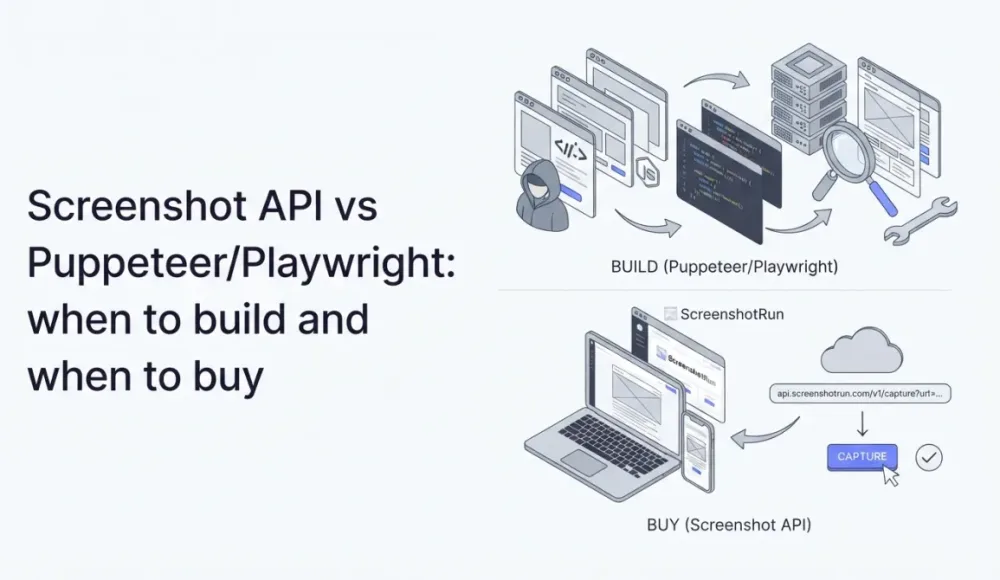
Screenshot API vs Puppeteer/Playwright: when to build and when to buy
I built both sides of this equation — a Playwright renderer and a screenshot API on top of it. Most "build vs buy" articles are written by API vendors pushing you to buy. This one walks through the real problems (lazy loading, cookie banners, memory, timeouts), gives you honest thresholds for when each approach wins, and lets you decide.
I hesitated about writing this one. You might think I can't be objective here, since I built a screenshot API myself and obviously want you to pick my product. But the opposite is closer to the truth.
Because I built everything from scratch on Playwright, I had to figure out the entire process myself. Cookie banners, lazy loading, pages that hang forever, server configuration, memory leaks in headless Chrome. I went through all of it, and now I can tell you what you'll run into on either path. Then you decide.
Playwright in 5 minutes: why it feels easy
The minimum code to take a screenshot with Playwright fits in eight lines:
const { chromium } = require('playwright');

(async () => {
    const browser = await chromium.launch();
    const page = await browser.newPage();
    await page.goto('https://example.com');
    await page.screenshot({ path: 'screenshot.png' });
    await browser.close();
})();
Eight lines and you have a screenshot. It works. On example.com.
The thing is, example.com is probably the simplest website on the internet. The moment you start screenshotting real pages, questions come up that those eight lines don't answer.
What breaks when you move from example.com to real websites
Below is a list of problems I ran into personally while building ScreenshotRun. Not theoretical ones. These are things I had to solve in production.
Most modern sites don't load images until the user scrolls near them. Playwright doesn't scroll by default, so the bottom half of a full-page screenshot ends up as grey rectangles. I wrote a detailed breakdown of this problem in my post about lazy loading and grey boxes. Took me two full days to get reliable scrolling that triggers every lazy-loaded image without missing any.
Then there are cookie banners. About half the sites out there greet you with a GDPR popup covering the content. You need to either click "Accept" or hide the banner with CSS. No universal fix exists because every site implements its banner differently, and the selectors change every few months when sites redesign.
Timeouts and hangs are another constant headache. Some pages never reach networkidle. Ad networks, analytics scripts, WebSocket connections, endless polling requests. Without proper timeout handling, your script just sits there burning CPU. I had one site that kept a WebSocket open indefinitely, and my renderer hung for 90 seconds before I figured out what was happening.
Custom fonts might not finish loading before the screenshot fires. You end up with text rendered in a fallback font, or worse, invisible text while the browser waits for the font file. The wait_for_selector approach helps, but only if you know which element to wait for.
Memory is the quiet killer. A single headless Chrome instance needs around 300 MB of RAM. Spin up five parallel screenshots and you're looking at 1.5 GB. On a cheap VPS, that means either constant OOM kills or aggressive instance limits. Browser updates are another ongoing cost: Playwright ships with a specific Chromium version, and after an update, rendering can shift in subtle ways that break your existing screenshots.
Every one of these problems is solvable. I solved them all when building my service. But each solution is code you need to write, test, and maintain going forward.
When Playwright is the right call
Not everyone needs an API. Playwright (or Puppeteer — the differences are minimal for screenshots) makes a lot of sense in specific situations.
If you're screenshotting a few specific pages you control — your own dashboard, your landing page after a deploy, your admin panel for reports — Playwright is ideal. You know the structure of these pages. You can write a waitForSelector for the exact element, you know which fonts load, there are no cookie banners to deal with. Paying for an API in this scenario would be a waste of money.
Same applies when you already run Playwright for something else. If your project has a headless browser for testing or scraping, adding screenshots on top is minimal effort. The infrastructure is already paid for.
For non-standard workflows, your own script gives you full control. Log into a page, go through a sequence of steps, fill out a form, then take a screenshot. APIs support some of this (I built cookie and header auth into mine), but if the scenario is genuinely complex, nothing beats a custom script. And for small volumes that aren't mission-critical — a dozen screenshots a day for internal use — Playwright running on the same machine as your app handles that without breaking a sweat.
When an API starts to win
Your own Playwright stack starts costing more than it looks like on paper once a few things change.
Variety of sites is the big one. The moment you're screenshotting other people's websites, you lose control over the page structure. Cookie banners, lazy loading, popups, slow CDNs, unusual fonts. Each site can break your script in a new way. I spent weeks getting my renderer to work reliably across different sites, and I still find edge cases. If you're building something like a link directory with preview thumbnails or a competitor monitoring tool, you'll hit this wall fast.
Growing volume changes the equation too. At 10 screenshots a day, Playwright runs fine on any server. At 1,000 a day, you need job queues, concurrency limits, memory monitoring, processes that restart themselves when Chrome hangs. That's an infrastructure problem, not a five-line-code problem.
Reliability is the other factor people underestimate. If the screenshot goes into a client report, into visual regression checks in CI, into a monitoring dashboard — one missed or broken capture is a real problem. With Playwright on your own server, you're the one building retry logic, alerts, and fallback handling. At 3 AM when something breaks, you're the one on call.
And then there's developer time. You can set up Playwright in an hour. Setting up a Playwright stack that works reliably on 95% of sites without babysitting? That took me weeks. The question is whether your time is worth more than $10-50 per month for a ready-made API.
The real cost: Playwright vs API
Worth doing the math. Playwright is free, but the server isn't.
The cheapest VPS that runs headless Chrome reliably costs about €7-15/month (Hetzner CPX21-CPX31). You can run 3-5 renders in parallel without memory issues. That covers roughly 2,000-5,000 screenshots per day, not counting development time.
Compare that to APIs. ScreenshotRun's free tier gives you 200 requests per month. Paid plans start at $10/month. Competitors start at roughly $17-39/month for their entry-level plans. I put together a detailed comparison of the major APIs if you want to see how they stack up.
If you only count server costs, Playwright is cheaper. But add in the cost of development time, debugging, maintaining scripts, and handling edge cases, and the picture changes. One day of debugging a script that broke on a specific site costs more in developer time than six months of an API subscription. I know this because I've spent plenty of those days myself.
What I'd pick in your place
It comes down to two questions.
First: are you screenshotting your own pages or someone else's? Your own pages, you control. You can write a precise script. For other people's sites, you need flexibility and handling for the unexpected.
Second: are screenshots the core of your product or a supporting feature? If they're core (like they are for me), it makes sense to build and optimize your own setup. If they're supporting (thumbnails for a directory, snapshots for reports, post-deploy monitoring), it's simpler to outsource and move on.
If both answers are "someone else's" and "supporting," an API will save you real money. If both are "my own" and "core," Playwright gives you maximum control.
How to try both approaches
If you want to start with Playwright, I have tutorials with working code: screenshots with Node.js, with Python, with PHP, with Go, and even just with cURL. Each one covers the full setup from scratch.
If you end up going the API route, the Node.js, Python, and PHP integration guides show you how to wire it up in under five minutes. Either way, you won't have spent a week arriving at the same conclusion on your own.
Frequently Asked Questions
Yes. Pass fullPage: true to the screenshot method and Playwright scrolls the entire page, stitching the result into one tall image. No extra libraries or manual scrolling needed.
A single Chromium instance typically needs around 300 MB. Five parallel renders can push past 1.5 GB, which is tight on budget VPS plans. Memory usage also spikes on pages with heavy JavaScript or large DOM trees.
Playwright works best when you screenshot your own pages, already run it for testing, need complex multi-step workflows like form fills or logins, or take fewer than 100 screenshots a day. In these cases the extra infrastructure cost is minimal.
Cookie banners covering content, lazy-loaded images rendering as grey boxes, pages that never reach networkidle due to ad scripts, missing custom fonts, and unexpected layout changes. Each site can break your script in a different way.
For server costs alone, self-hosted Playwright is cheaper. But once you factor in development time, debugging edge cases, and ongoing maintenance, even a single day of troubleshooting costs more than months of an API subscription.
Fix "Could Not Find Expected Browser (Chrome) Locally" in Puppeteer
Puppeteer cannot find Chrome? Fix the "could not find expected browser locally" error in Docker, CI/CD, serverless, monorepos, and local development.
Read more →
Fix Puppeteer "Browser Has Disconnected" Error (All Causes)
Read more →
Why Instagram Breaks Your Screenshots (And How to Fix It with Playwright)
Instagram shows two login popups, triggers React re-renders when you hide them wrong, and locks scrollHeight to the viewport. Three problems, three fixes for Playwright and Puppeteer.
Read more →